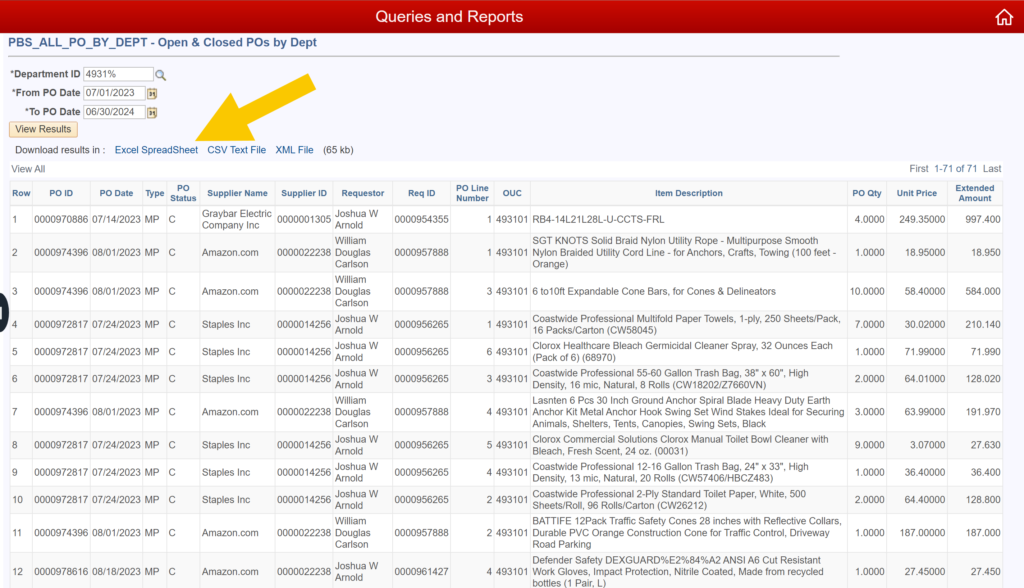
Query: All POs by Department
- Audience: Business Officers or Accounting Technicians
- Security Required: None
- Description of Report: Provides a listing of all POs for a specific Department ID with a date prompt that gives flexibility in reviewing a month, six months, a year, etc. It includes detailed information down to the line level and differentiates between MarketPlace and Non-MarketPlace spend.
INSTRUCTIONS
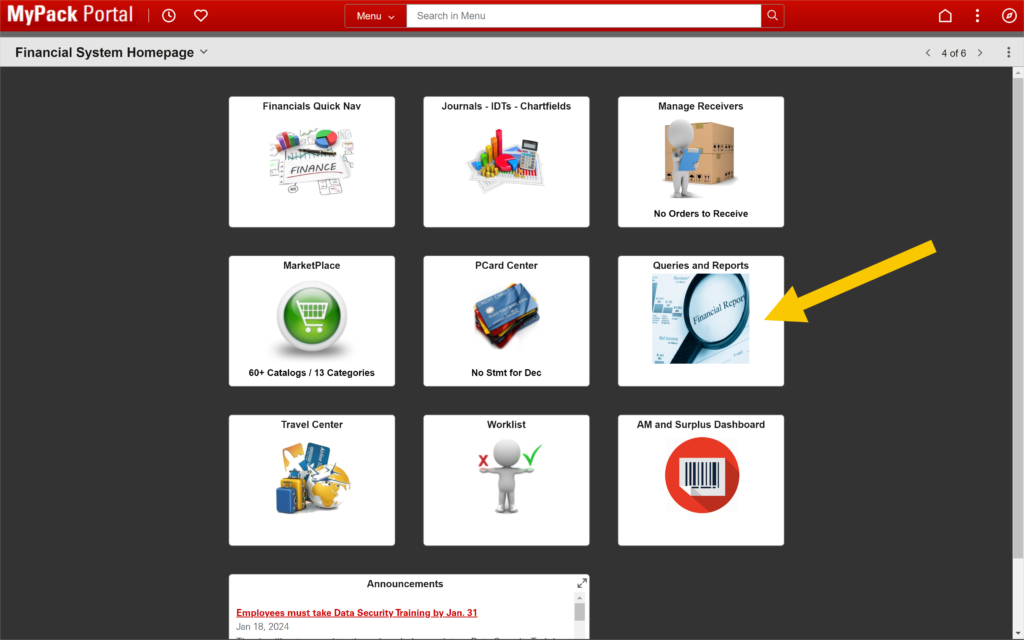
1. Navigate to MyPack Portal > Financial System Homepage.
2. Click on the Queries and Reports tile.
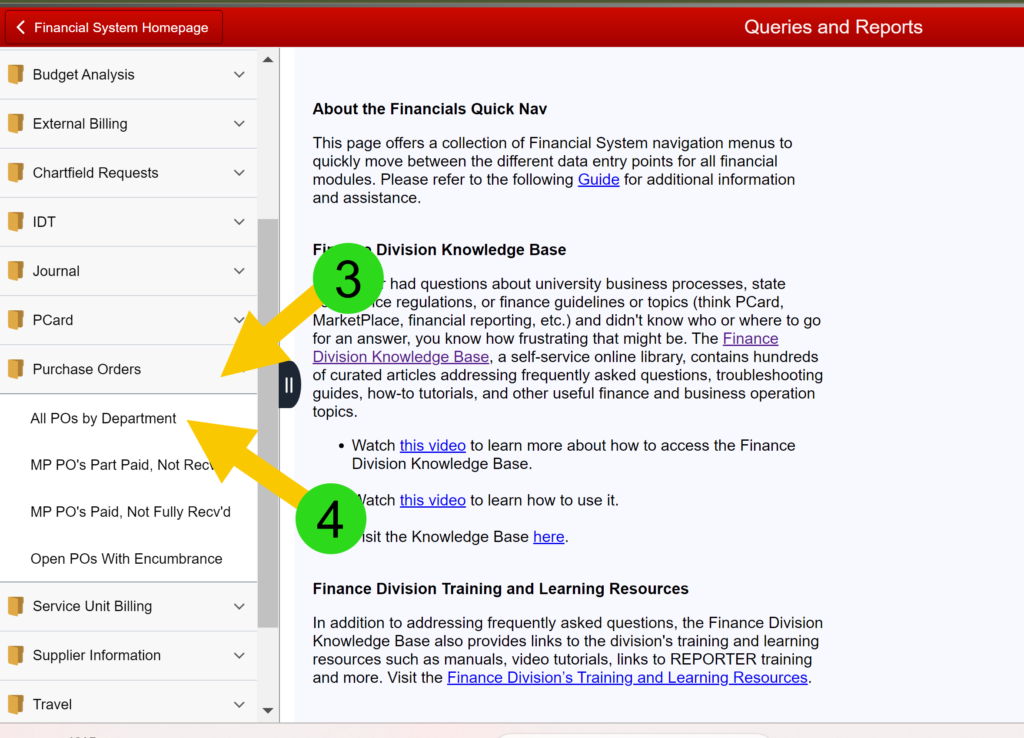
3. Click on Purchase Orders in the menu on the left.
4. Select All POs by Department.
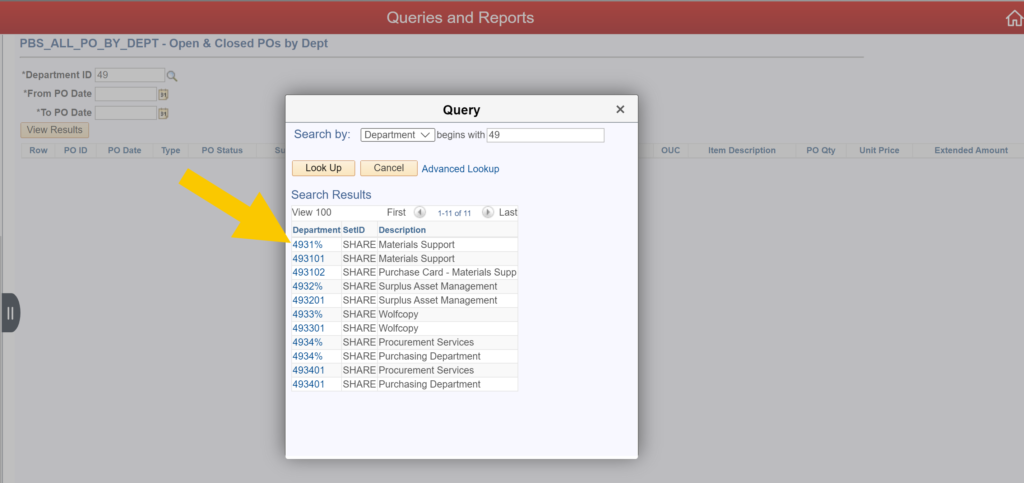
5. Enter the two-digit Dept ID and click on the magnifying glass to initiate the search.
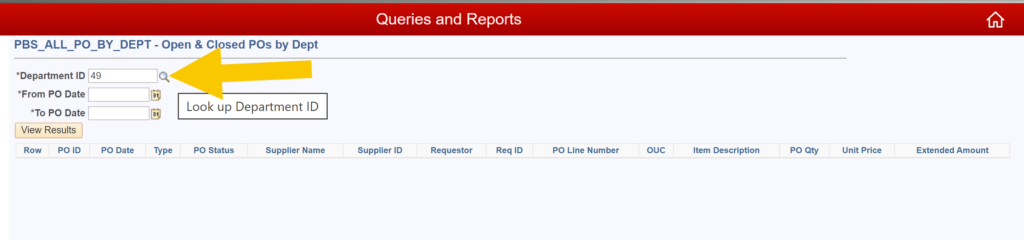
6. Select the four- or six-digit Department ID from the pop-up window.
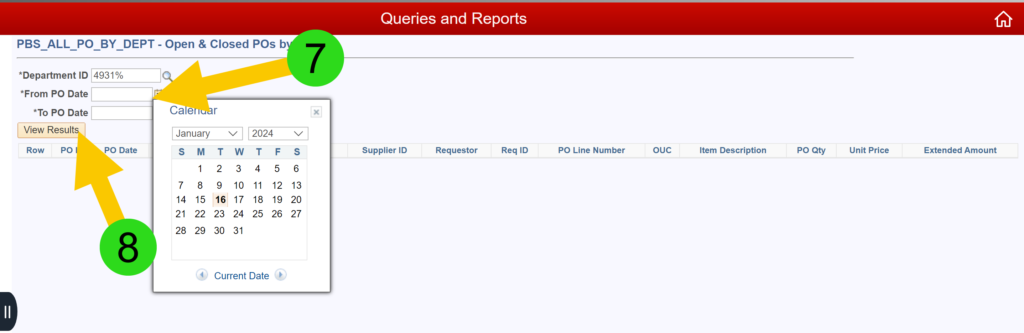
7. Enter the date range of interest.
8. Click on View Results.
9. All open POs for the selected department will be displayed. Click on Excel SpreadSheet to export the query.